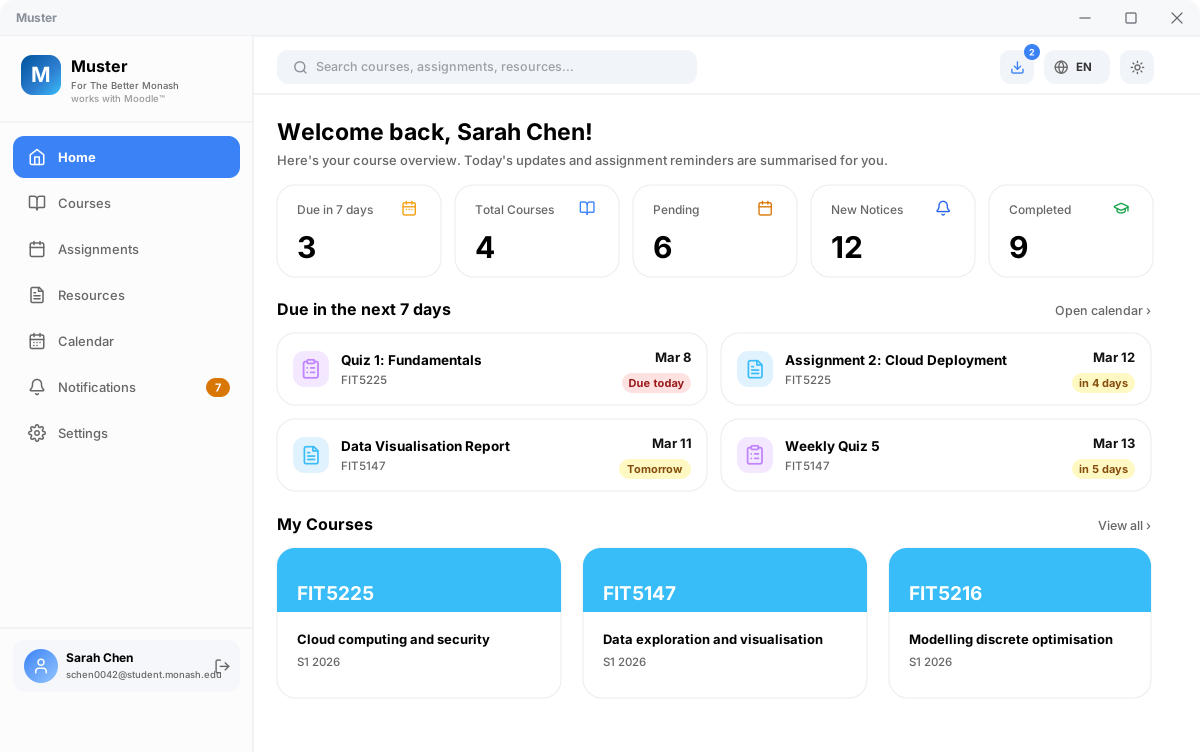
Courseware, deadlines, and AI synthesis,
unified into one desktop workspace
Sign in once via official Monash SSO. All enrolled lecture materials, campus announcements, and assignment deadlines are automatically indexed, ordered by calendar-day urgency, and securely cached on your local device. Zero cloud tracking, zero repetitive navigation.
Windows 10 / 11 · macOS 12+ · Linux (AppImage, .deb, AUR) · No sign-up required
Get started in three steps
Zero extraneous setup or cloud accounts. Ready out of the box.
Download and install
Grab the verified installer for your platform. Transparent and open-source. If a routine SmartScreen prompt appears on Windows, choose “More info” → “Run anyway”.
Authenticate via official SSO
Sign in directly through Monash's official authentication webview with standard Duo MFA. Credentials stay strictly between you and the university.
Instant indexing & offline access
Course structures are organized immediately. Deadlines, syllabus files, and lecture notes are ready for one-click batch downloading and full offline review.
Engineered to eliminate academic friction
Purpose-built capabilities designed for real-world coursework demands.
Smart incremental sync & permanent cache
A 5-minute rolling window prioritizes active units for instant 3–5 second daily syncs. All course assets are cached locally with past semesters cleanly archived, eliminating Moodle's sluggish page-by-page loading.
All-in-one local AI cockpit
Grounded directly in your local courseware cache: stream structured interactive checklists, build daily study roadmaps, and run cited Q&A with slide confidence badges. Includes data-hash freshness verification. Connect your own API key or local Ollama with zero cloud relays.
Calendar-day precision & grade weightings
Grouped strictly by natural calendar boundaries into Overdue, Due Today, Due Tomorrow, and Upcoming, avoiding misleading hour calculations. Displays exact assignment weightings towards your final grade to calibrate revision priorities.
Local-first architecture, physical isolation
Engineered strictly with local-first principles. Authentication is handled directly within official SSO webviews; your credentials never touch Muster. With zero external relay servers, all courseware and state remain isolated on your machine.
A closer look at your core workspace
Purpose-built interfaces designed for assignments, announcements, downloads, and AI synthesis.
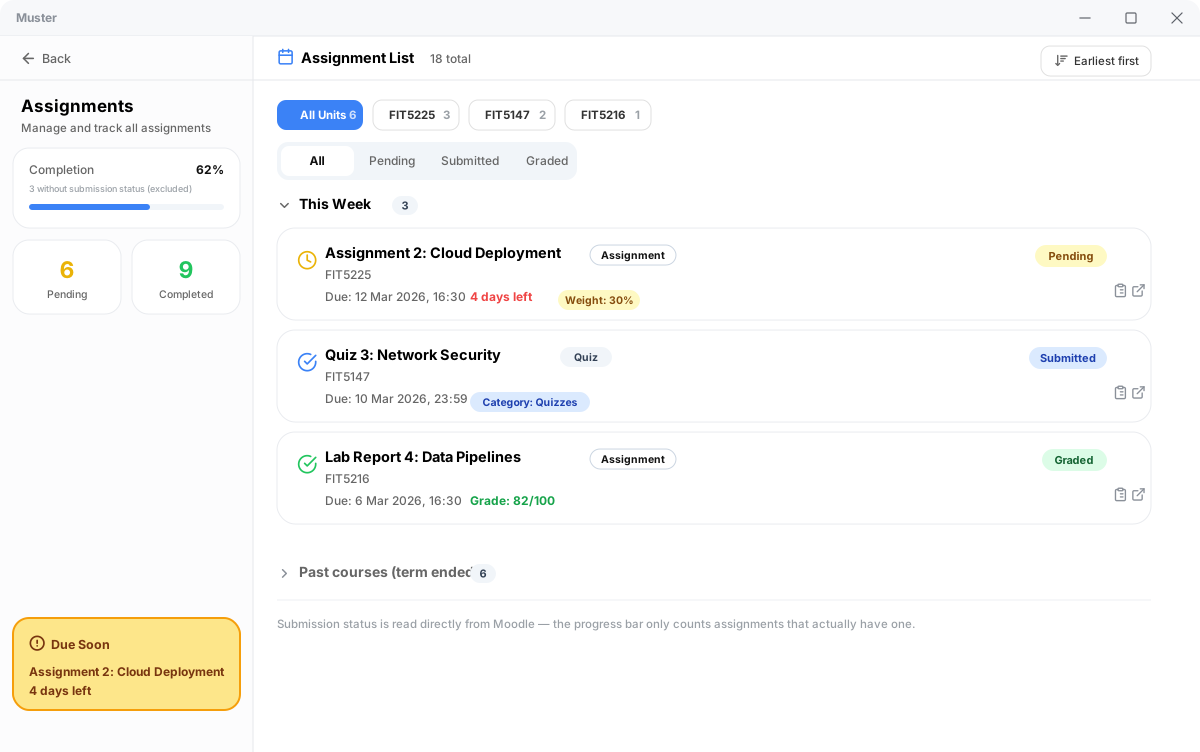
Verified submission status with calendar-day accuracy
View real-time submission, grading, and score metrics synchronized directly with Moodle. Deadlines are measured against natural calendar-day boundaries with explicit grade weightings, keeping active coursework front and center.
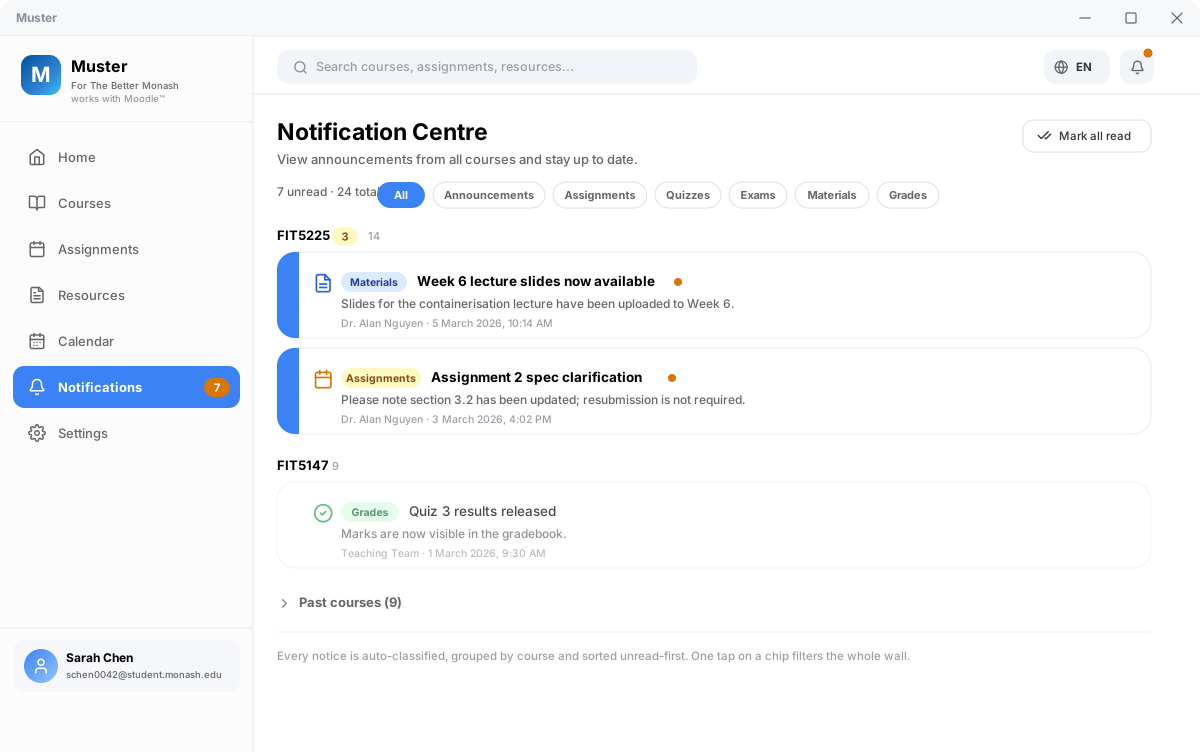
Smart semantic tags with unread-first priority
Aggregate announcements across all enrolled units with unread notices pinned first. Intelligently tagged into assignments, quizzes, exams, syllabus updates, or grades — filter any category in a single click.
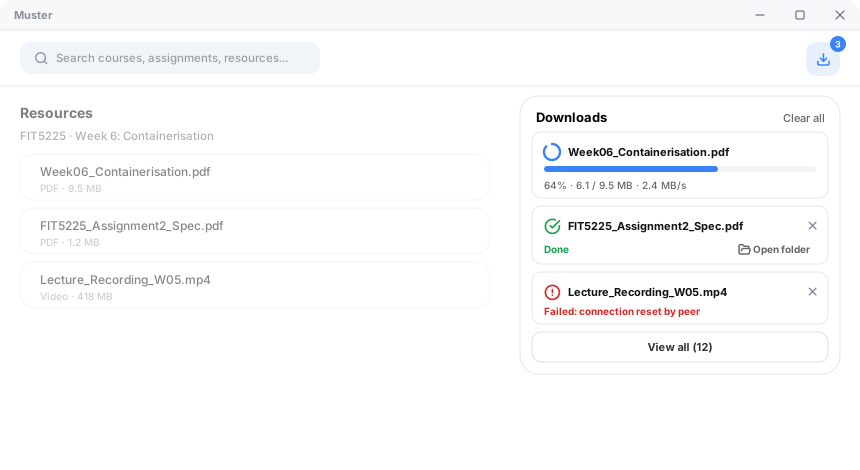
Structured local hierarchies with live transfer metrics
Batch download lecture slides, readings, and assignment briefs in one pass, organized automatically by unit code and week. Monitor live transfer speeds and progress, backed by explicit error diagnostics.
Structured action cards & cited slide Q&A
Transforms courseware into interactive action cards with checkable tasks, urgency badges, and weekly priorities. Supports cited Q&A grounded in lecture slides, with a data-hash engine that flags outdated summaries when coursework changes. Runs 100% locally with multi-language support.
Live preview — streaming structured action cards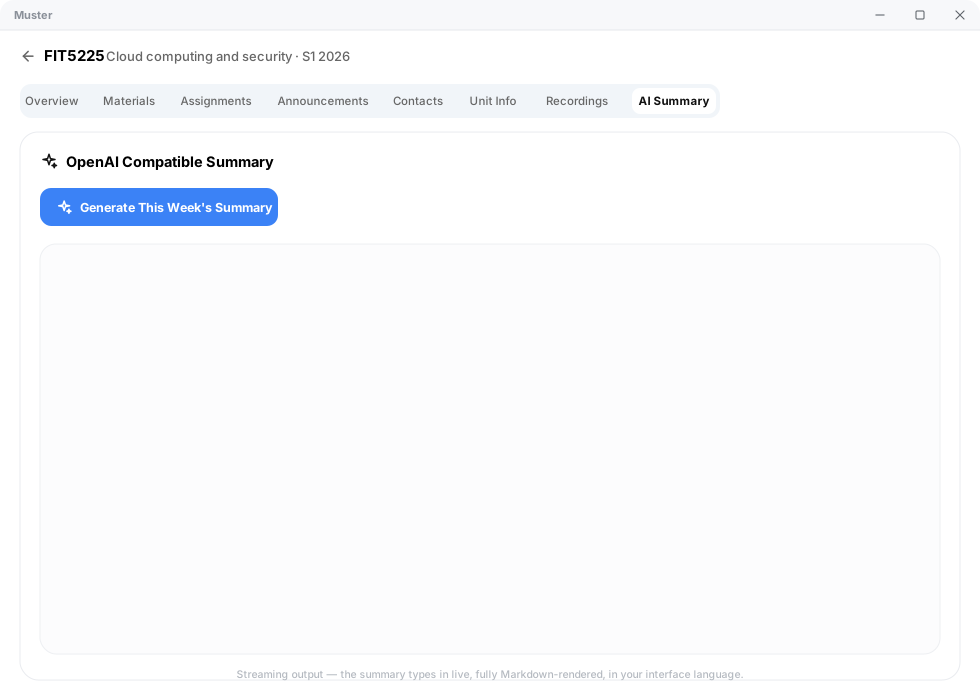
Engineered for uninterrupted academic focus
Refined around real student scenarios, from lecture halls to offline revision sessions.
Ultralight footprint, silent background presence
Built on a native Tauri architecture, consuming a fraction of the memory required by typical Electron apps. Runs effortlessly alongside Zoom and heavy developer tools even on older laptops.
Complete offline availability, anytime & anywhere
Synchronized course materials and schedules reside permanently on your local drive. Seamlessly review slides and deadlines on flights, trains, or during campus Wi-Fi outages.
Adaptive parsing and frictionless maintenance
Equipped with an intelligent leaky-bucket throttler and adaptive DOM parser. Frequent updates ensure seamless compatibility with university portal changes with one-click in-app updating.
Frequently asked questions
Clear, transparent answers to technical and security questions.
Is it safe if Windows SmartScreen or macOS Gatekeeper displays a warning?
Does using Muster comply with university and faculty IT policies?
Are my Monash credentials or passwords intercepted or stored?
Does it support course structures across all faculties?
Is Muster completely free? Will it ever become paid?
Eliminate administrative friction, reclaim your study hours
Designed to take the repetitive overhead out of coursework management so you can focus on mastering your subjects.
Windows 10 / 11 · macOS 12+ · Linux (AppImage, .deb, AUR) · No sign-up required